Short answer: construction ERP software connects the site (daily progress, labour, materials, quality) with the office (budgets, purchasing, approvals, cost control) so overruns show up the same day instead of at month-end.
Problems construction ERP solves
- Progress photos lost in chat groups
- Verbal material requests that never match purchase and stock
- Cost overruns discovered at month-end
- Snags and NCRs tracked on paper and lost before handover
Core modules
| Module | What it should do |
|---|---|
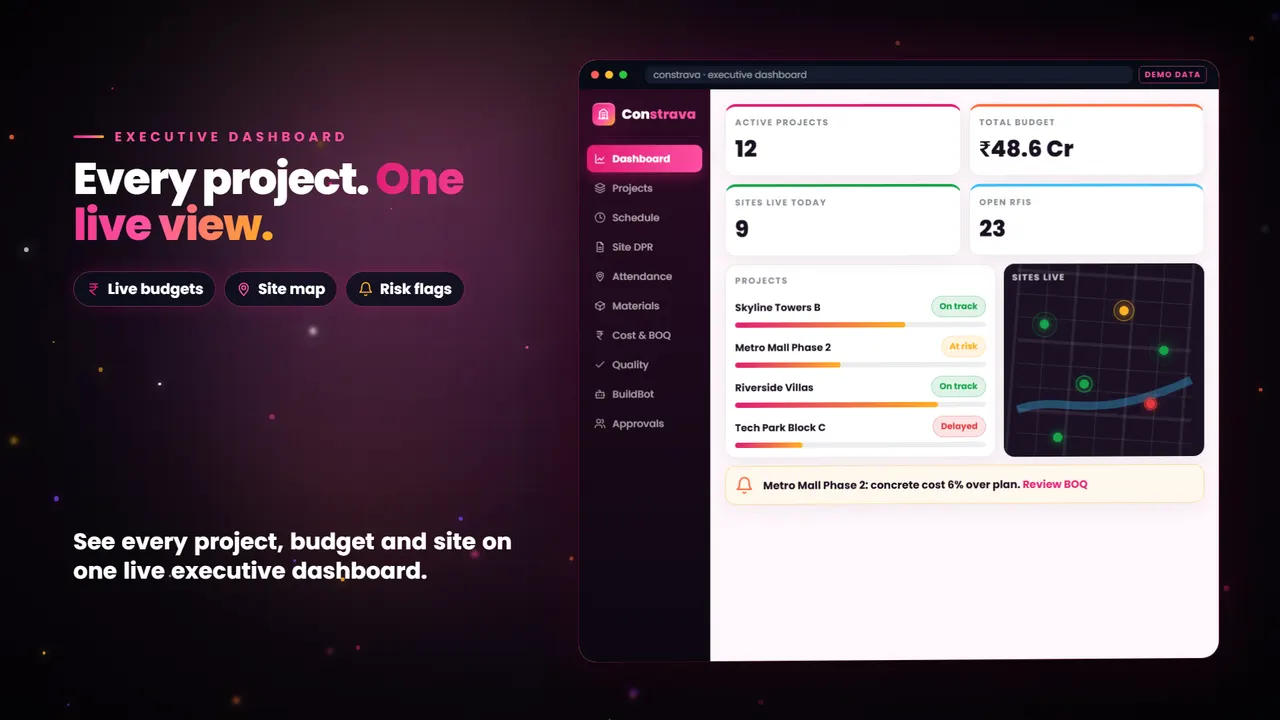
| Executive dashboard | Every project, budget and site on one live view |
| Daily progress reports (DPR) | Work done, photos, labour and weather, filed from site |
| GPS attendance | Geofenced punch-in so every shift is verified on site |
| Materials | Indent → purchase order → goods receipt → live project stock |
| BOQ cost control | Budget vs actual with earned value per project |
| Quality | Checklists, snag lists and NCRs with sign-off |
| Approvals & client portal | Multi-level approvals; clients follow progress you choose to share |
Earned value in plain words
Earned value compares the value of work actually completed with what was planned and what was spent. If you have spent more than the value of work done, the project is over budget; if less work is done than planned, it is behind schedule. A good ERP calculates this from DPRs, BOQ rates and costs automatically.
Rollout plan
- Set up projects, BOQ, budgets and approval rules
- Onboard site engineers on DPRs and attendance first
- Connect purchase and stores (indent to stock)
- Switch weekly reviews to the dashboard
Checklist
- Works on phones at site
- Photos attached to DPRs and snags
- BOQ import from Excel
- Earned value per project
- Material reconciliation per site
- Client portal with controlled sharing
- Audit trail on approvals
How Constrava fits
Constrava Construction ERP covers DPRs, GPS attendance, materials, BOQ cost control, quality and an AI assistant on live project data. For custom builds see construction software development.
Site-to-office workflow, step by step
- The site engineer files the DPR before leaving site: work done against BOQ items, labour by trade, equipment, weather and photos.
- Workers punch in and out with GPS attendance inside the site geofence.
- A material indent is raised from site; the purchase team converts it to a PO.
- Goods received at site update project stock; issues to work fronts reduce it.
- Costs from materials, labour and expenses roll up against the BOQ budget.
- Management reviews progress and earned value on the dashboard each week.
Common mistakes
- Making DPRs too long. Engineers stop filing them. Keep the form short and photo-first.
- Separate purchase software. Indents, POs and stock must share data or reconciliation never ends.
- No BOQ link. Without BOQ items, progress and cost cannot be compared.
- Quality on paper. Snags and NCRs need photos, owners and due dates.
Questions to ask in a demo
- File a DPR on a phone with photos in under two minutes.
- Show material stock for one site after a goods receipt and an issue.
- Show budget vs actual and earned value for a project.
- Raise a snag, assign it and close it with a photo.
Glossary
- BOQ: bill of quantities: items, quantities and rates that make up the project budget.
- NCR: non-conformance report for work that does not meet specification.
- Snag list: defects to fix before handover.
Frequently asked questions
What is construction ERP software?
Software that connects project planning, site reporting, labour, materials, purchasing, cost control and quality in one system, so office and site work from the same data.
What is a DPR in construction?
A daily progress report: the work done on site that day, with photos, labour, equipment and weather, filed by the site engineer.
Can site engineers use construction ERP on a phone?
They should be able to file DPRs, attendance and snags from a phone browser or app.
How does construction ERP control costs?
Budgets come from the BOQ, actuals from materials, labour and expenses, and earned value compares progress with spend per project.