Short answer: the best SAP alternative for a mid-size business is an ERP that covers the processes you actually run (finance, procurement, inventory, sales, HR and approvals) on one database, goes live module by module in weeks, and can be extended by engineers you can reach. Tier-one suites remain the right call for large multinationals with complex global consolidation.
Why mid-size companies look for SAP alternatives
- Implementations measured in many months, with specialist consultants for every change.
- Licences and partner fees sized for enterprises, not for a 50-500 person company.
- Features you will never use, while simple local needs (GST/VAT documents, WhatsApp invoices) need custom work.
Three types of SAP alternative
| Approach | Best for | Trade-offs |
|---|---|---|
| Modular ERP (switch on modules as needed) | Growing companies that want value in weeks | Choose a vendor that can build custom modules |
| All-in-one cloud suites | Standard processes, many users, global teams | Customisation limited to what the suite allows |
| Open-source ERP | Teams with in-house developers | Hosting, upgrades and support become your responsibility |
Well-known names in these categories include SAP Business One, Oracle NetSuite, Microsoft Dynamics 365 Business Central and Odoo. Compare them on your own processes rather than feature lists.
Modules a mid-size ERP must cover
- Finance: ledgers, receivables, payables, tax-ready documents, financial reports
- Procurement & inventory: indents, POs, goods receipts, multi-location stock, reorder alerts
- Sales & billing: quotes, orders, invoices, receipts
- HR & payroll: employee records, attendance, leave, payslips
- Approvals & audit: multi-level approvals with history, full audit trail
- Reporting: live dashboards for owners, Excel and PDF export
Selection checklist
- Map your top 10 processes before seeing any demo
- Ask for a demo of those processes with your data
- Confirm local tax documents (GSTIN, TRN) and statutory reports
- Check multi-company and multi-branch support
- Ask who builds custom modules, and how long changes take
- Get the go-live plan per module, in weeks
- Confirm cloud and on-premise options
- Check data export so you are never locked in
- Review roles, approvals and audit log
- Price the total cost for 3 years, not just year one
How Synerva fits
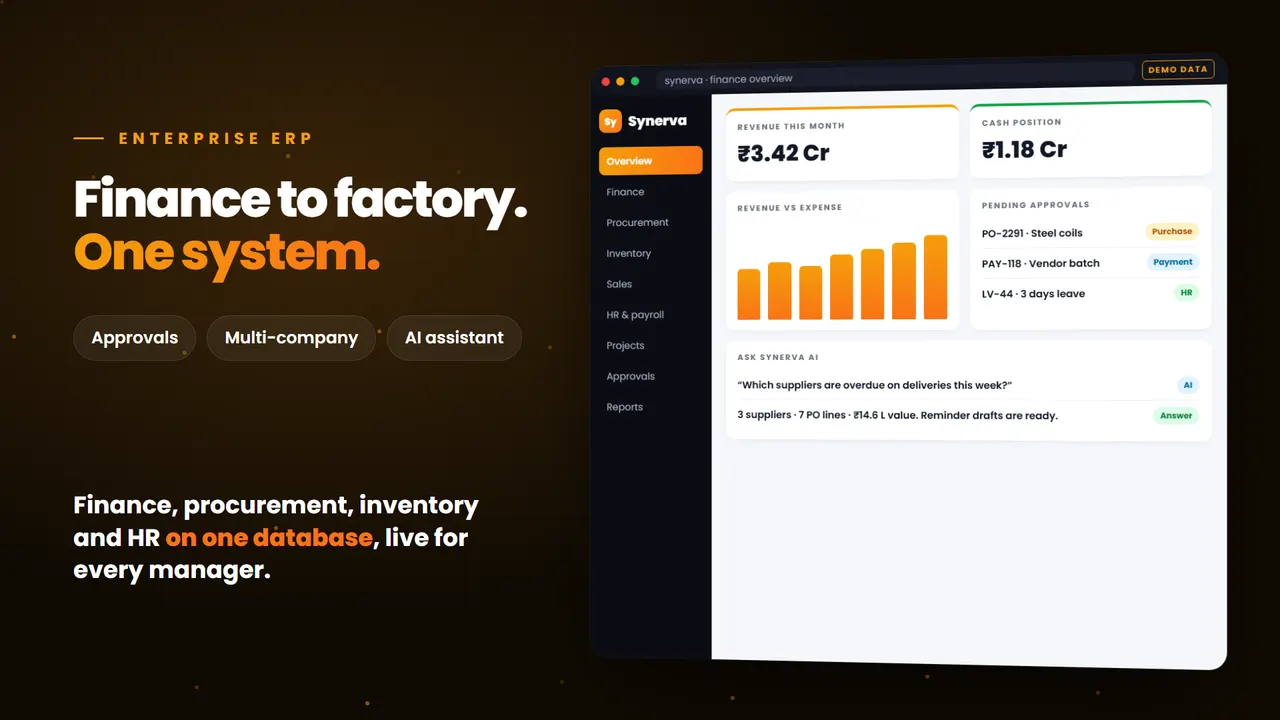
Synerva ERP is ZetsApp's modular ERP for growing companies: finance, procurement, inventory, sales, HR, approvals and an AI assistant that answers questions from live data. Custom modules are built by our enterprise software development team.
Map processes before you compare vendors
Write down how money, stock and people move through the company: how a purchase is requested and approved, how goods are received, how an invoice is raised and collected, how payroll is run. Mark each step that is manual today. These ten to fifteen processes become your demo script and your acceptance tests; any ERP that cannot run them cleanly is not an alternative, whatever its feature list says.
Total cost of ownership over three years
- Licences or subscriptions per user or per module
- Implementation: configuration, data migration and training
- Customisation: changes you will need in year one and two
- Hosting, backups and upgrades if you run it yourself
- Support: response times and who fixes issues
Common mistakes
- Choosing on brand alone and discovering that small local requirements need expensive partners.
- Migrating years of history at once instead of opening balances and open documents.
- Skipping approval design; approvals on chat do not leave an audit trail.
- Not testing reports with real data before go-live.
Glossary
- ERP: enterprise resource planning, one system for finance, purchasing, inventory, sales and HR.
- Modular ERP: modules are switched on as needed but share one database and audit trail.
- Opening balances: account and stock balances on the go-live date.
Frequently asked questions
What is a good SAP alternative for small and mid-size businesses?
A modular ERP that covers finance, procurement, inventory, sales, HR and approvals, goes live module by module in weeks, and can be customised by an engineering team you can reach.
Is SAP Business One the same as SAP S/4HANA?
No. SAP Business One is SAP's product for small and mid-size companies; S/4HANA is its enterprise suite. Both are often compared with modular and cloud ERP alternatives.
How long does an ERP implementation take for a mid-size company?
With a modular approach, the first modules can go live in weeks; a full rollout is phased over a few months depending on processes and data.
Can an ERP run on our own servers?
Many ERPs, including Synerva, can be deployed in the cloud or on-premise.