Short answer: choose software where billing and stock live together: every sale and purchase updates inventory automatically, invoices carry your GSTIN and tax breakup, owners see dues and low stock on one screen, and counter staff can bill fast with the keyboard.
Why billing and inventory must be one system
When sales are billed in one tool and stock is tracked in another, counts drift, reorders are late and month-end becomes reconciliation. One system means the stock you see is the stock you have.
Must-have features
| Feature | Why it matters |
|---|---|
| GST tax invoices | GSTIN, HSN/SAC, tax breakup and credit notes for filing |
| Multi-location stock | Shop, warehouse and branches with transfers |
| Reorder alerts | Never run out of fast movers |
| Customer and supplier ledgers | Dues, credit limits and purchase history |
| WhatsApp invoices | Send the PDF to the customer instantly |
| Fast counter billing | Keyboard-first screens and a command palette |
| Offline mode | Billing continues when the internet drops |
| Backups and roles | Scheduled backups and limited access for staff |
Checklist
- Bill a sample invoice in under a minute during the demo
- Check GST reports for filing
- Test a stock transfer between locations
- Import items and opening stock from Excel
- Send an invoice to WhatsApp
- Confirm what happens offline
- Ask about backups and data export
How Ledgera fits
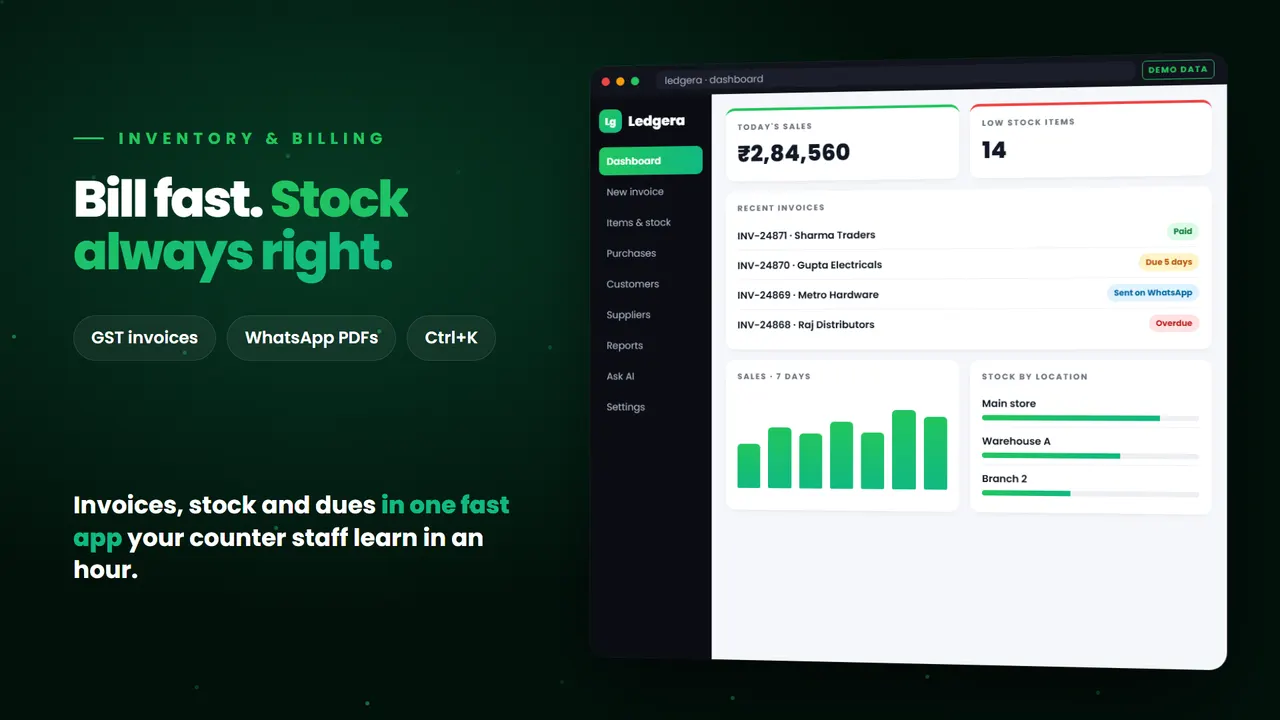
Ledgera Inventory & Billing combines GST invoices, multi-location stock, customer and supplier ledgers, WhatsApp invoice PDFs, a Ctrl+K command palette and an AI assistant that answers questions about your own sales and stock.
What a GST-ready invoice must show
- Your business name, address and GSTIN
- Invoice number and date in a consistent series
- Customer name and GSTIN for B2B sales
- HSN or SAC codes, quantity, rate and taxable value
- CGST and SGST, or IGST for inter-state sales
- Total amount in figures and words
Confirm the exact requirements for your business with your accountant; good software makes them part of the invoice template.
Common mistakes
- Not setting opening stock correctly. Every report after that will be wrong.
- Allowing negative stock silently. It hides missed purchase entries.
- No reorder levels. Fast movers run out before anyone notices.
- Sharing one login. Give each counter user their own login and limited rights.
Daily routine that keeps stock accurate
- Enter purchases the day goods arrive
- Bill every sale, including cash sales
- Record returns as credit notes
- Check the low-stock list before placing orders
- Review dues and send reminders weekly
- Do a quick physical count of top items each month
Glossary
- HSN/SAC: codes that classify goods and services for GST.
- Credit note: a document that reverses all or part of an invoice.
- Reorder level: the stock quantity at which you should order again.
Billing software scorecard
| Area | Test in the demo | Good sign |
|---|---|---|
| Speed | Bill five items using only the keyboard | Under a minute, no mouse needed |
| Stock | Bill an item, then check its stock | Stock reduced instantly, per location |
| Tax | Create a B2B invoice for another state | IGST applied automatically |
| Dues | Open a customer ledger | Outstanding, overdue and last payment visible |
| Sharing | Send the invoice to WhatsApp | PDF arrives with your logo |
| Reliability | Disconnect the internet and bill | Billing continues |
Retail vs wholesale needs
- Retail counters need barcode scanning, fast cash and UPI billing, returns and daily cash closing.
- Wholesale and distribution need credit limits, multiple price lists, delivery challans, outstanding reports and salesman-wise sales.
- Both need accurate stock across locations and simple GST reporting for the accountant.
Migrating from your current software
- Export items with HSN codes, rates and opening stock
- Export customers and suppliers with GSTIN and balances
- Choose a cut-over date at the start of a month
- Run both systems for a few days and compare daily totals
Frequently asked questions
What is the best billing software for a small shop?
One that bills fast, updates stock automatically, prints or sends GST invoices, shows dues and low stock, and keeps working offline.
Do I need separate inventory software?
No. Billing software with built-in inventory keeps stock accurate because every sale and purchase updates it automatically.
Can billing software send invoices on WhatsApp?
Yes, many systems can send the invoice PDF to the customer's WhatsApp number directly.
Can I manage multiple shops or warehouses?
Choose software with multi-location stock and transfers between locations.