Introduction
Picture logging into your work suite – email, calendar, chat – with one click, no password juggling. That's the beauty of Single Sign-On (SSO), an auth scheme that's saved me countless headaches in enterprise setups. As a dev who's wired up SSO for everything from startups to Fortune 500s, I can tell you it's more than convenience; it's a secure bridge across apps using a single ID.
Here's the thing: in 2026's interconnected world, where breaches lurk and users demand seamlessness, SSO integrates apps like Gmail or Slack for that "one login to rule them all" vibe. But under the hood? It's federated identity magic, protocols like SAML, and clever flows that keep data safe. You might wonder, with passwords dying, why SSO endures – because it's reliable and scalable. This post unpacks SSO's core, protocols, the SAML dance, and real-world picks. If you've ever fumbled with auth tokens or debugged redirects, this'll clarify it. Let's sign in to the details!
What is SSO and the Role of Federated Identity
At its heart, SSO lets users access multiple apps with one credential set, ditching repetitive logins. It's built on federated identity – a way to share user info securely across independent systems, like trusting a partner's ID card without re-verifying.
You might ask, why federate? It keeps auth centralized (e.g., via Okta) while apps focus on business logic. In my integrations, this meant less custom code and better security audits. Without it, you're stuck with siloed logins – inefficient and risky. SSO's charm? Consistent experience, fewer passwords to hack.
Common Protocols: SAML and OpenID Connect
SSO speaks through protocols – the rules for identity exchange.
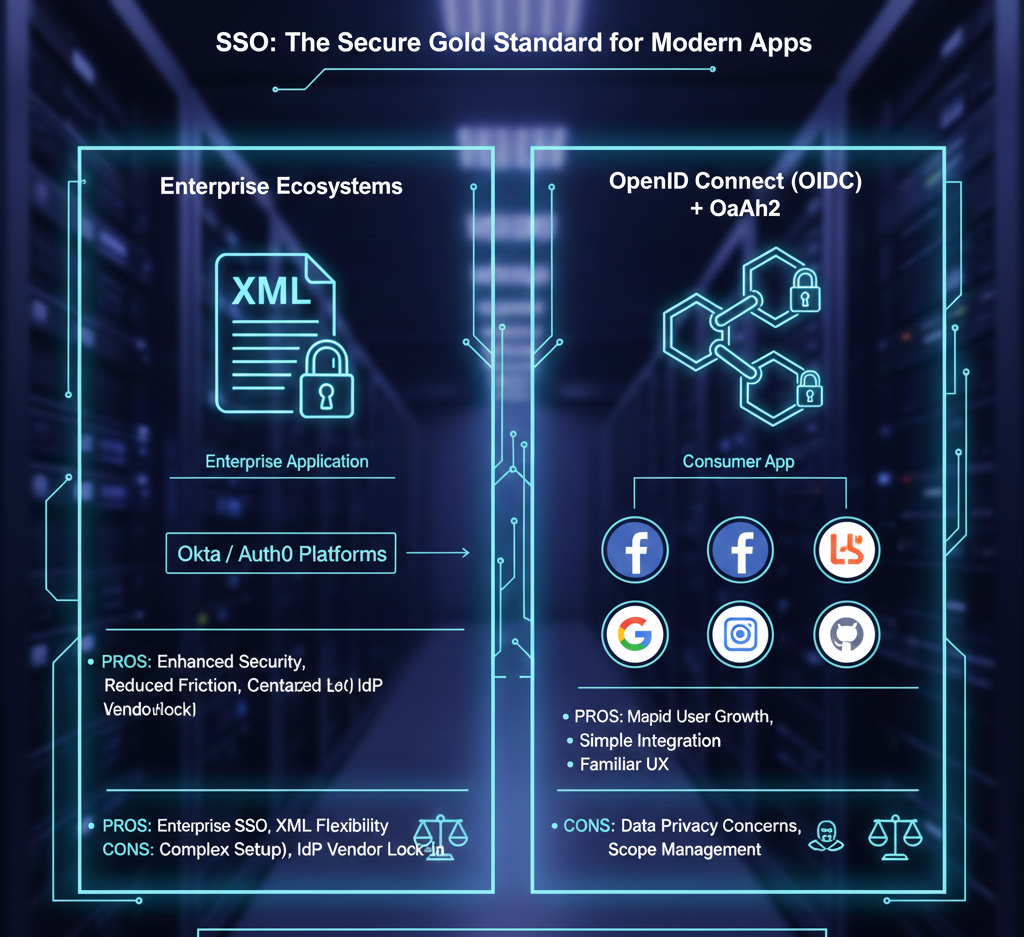
SAML (Security Assertion Markup Language) is the enterprise vet: XML-based, it swaps auth data securely. Think work tools where compliance reigns – I've used it for banking apps, where its robustness trumps simplicity.
OpenID Connect? Modern darling, built on OAuth 2.0, using JWTs for compact, signed identity tokens. Familiar from "Login with Google" on YouTube or sites. Lighter than SAML, great for consumer apps – I've favored it for web projects, as JWTs parse easy and scale well.
Both are battle-tested; choose SAML for formal B2B, OpenID for agile web.

The SAML Login Flow: Step-by-Step Breakdown
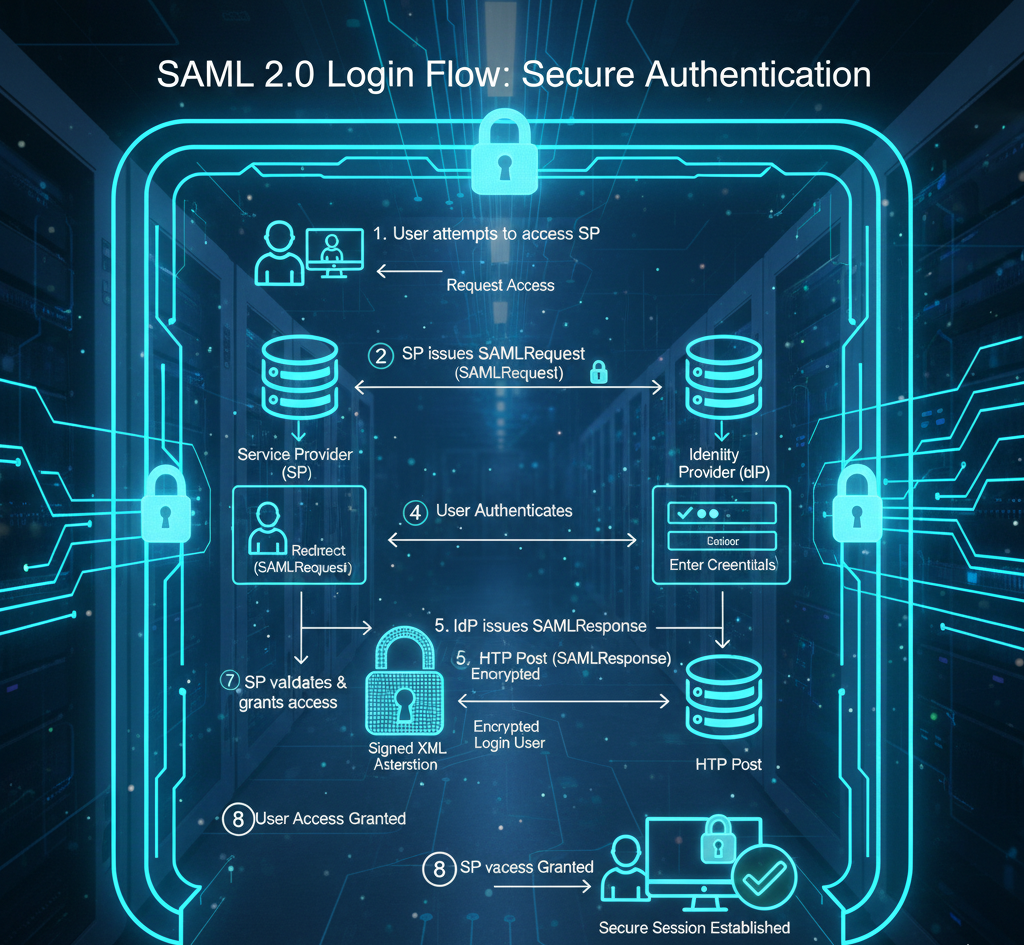
Let's walk the classic SAML flow – it's the dance that makes SSO seamless.
- User hits Service Provider (SP, e.g., Gmail) – no creds yet.
- SP redirects to Identity Provider (IdP, e.g., Okta/Auth0) for login.
- User authenticates at IdP (username/pass, MFA).
- IdP crafts a signed SAML assertion (XML with user deets, rights) and sends to browser.
- Browser posts assertion to SP.
- SP validates signature with public key crypto, grants access if good.
Boom – logged in. For another app (e.g., Workday)? IdP spots the session, skips login, issues new assertion. I've troubleshot this flow endlessly; crypto mismatches are common culprits – always verify certs!
It's elegant: secure, no password sharing, but setup's a chore without tools like Okta.
Conclusion: Choosing SSO for Your Needs
SSO via SAML or OpenID Connect is secure gold – both protocols lock down data tight. For enterprises, platforms supporting both (Okta, Auth0) are winners. New web apps? Lean on OpenID with Google/Facebook/GitHub – quick wins for user growth.
From my vantage, SSO's a must for multi-app ecosystems, but start simple. It cuts friction, boosts security – just plan your IdP wisely.
Implemented SSO lately?