
Introduction
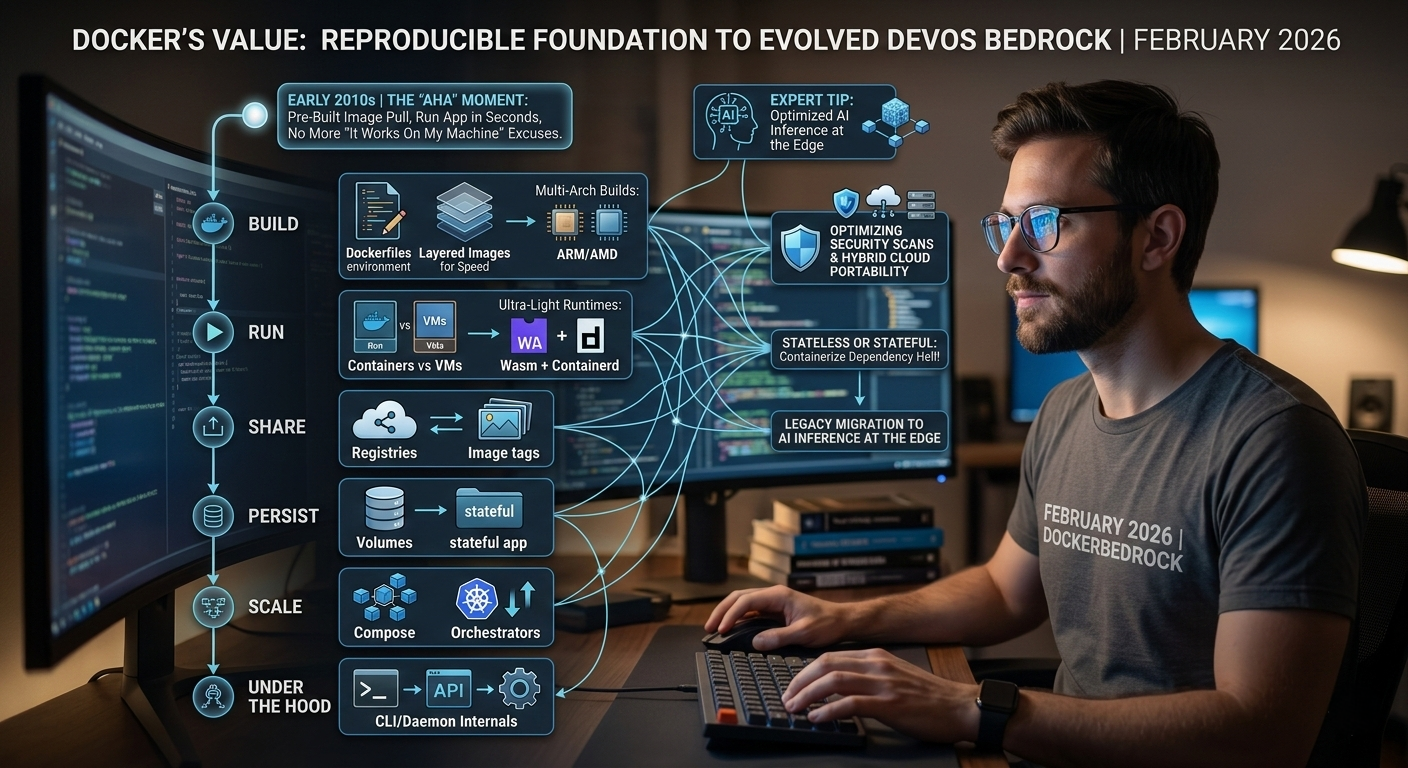
I remember my first Docker "aha" moment in the early 2010s – pulling a pre-built image and running a complex app in seconds, no more "it works on my machine" excuses. Fast forward to February 2026, and Docker's still the bedrock of modern devops, powering everything from legacy migrations to AI inference at the edge. It's not just about isolation; it's the foundation for building, deploying, and scaling apps with reproducibility and efficiency.
Here's the thing: in today's world of serverless hype and K8s dominance, Docker's principles remain timeless – self-contained images, lightweight containers, persistent storage. But with advancements like multi-arch builds for ARM/AMD and integration with Wasm for ultra-light runtimes, it's evolved. This post dives into the key concepts: Dockerfiles for environments, layered images for speed, containers vs VMs, registries for sharing, volumes for data, Compose for multi-setup, orchestrators for scale, CLI/daemon internals, and runtimes like containerd. Drawing from my experience containerizing AI models for low-latency inference and securing enterprise deploys, I'll add advanced tips like optimizing for security scans and hybrid cloud portability. If you've ever fought dependency hell or scaled a stateful app, let's containerize that knowledge.
The Dockerfile: Defining Your App's Environment Blueprint
The Dockerfile is your recipe – a text file instructing Docker how to build an image. Start with a base like alpine (lightweight) or ubuntu (full-featured), add layers for deps, copy code, set ENTRYPOINT/CMD for runtime.
Advanced twist in 2026: Use multi-stage builds to slim images – compile in one stage, run in minimal. For AI apps, I've layered PyTorch on CUDA bases, trimming to under 2GB from 10GB+. Tip: Leverage BuildKit (--build-arg) for secrets and parallel builds; scan with Trivy for vulns pre-push. Efficiency here prevents bloat, cutting deploy times and attack surfaces.
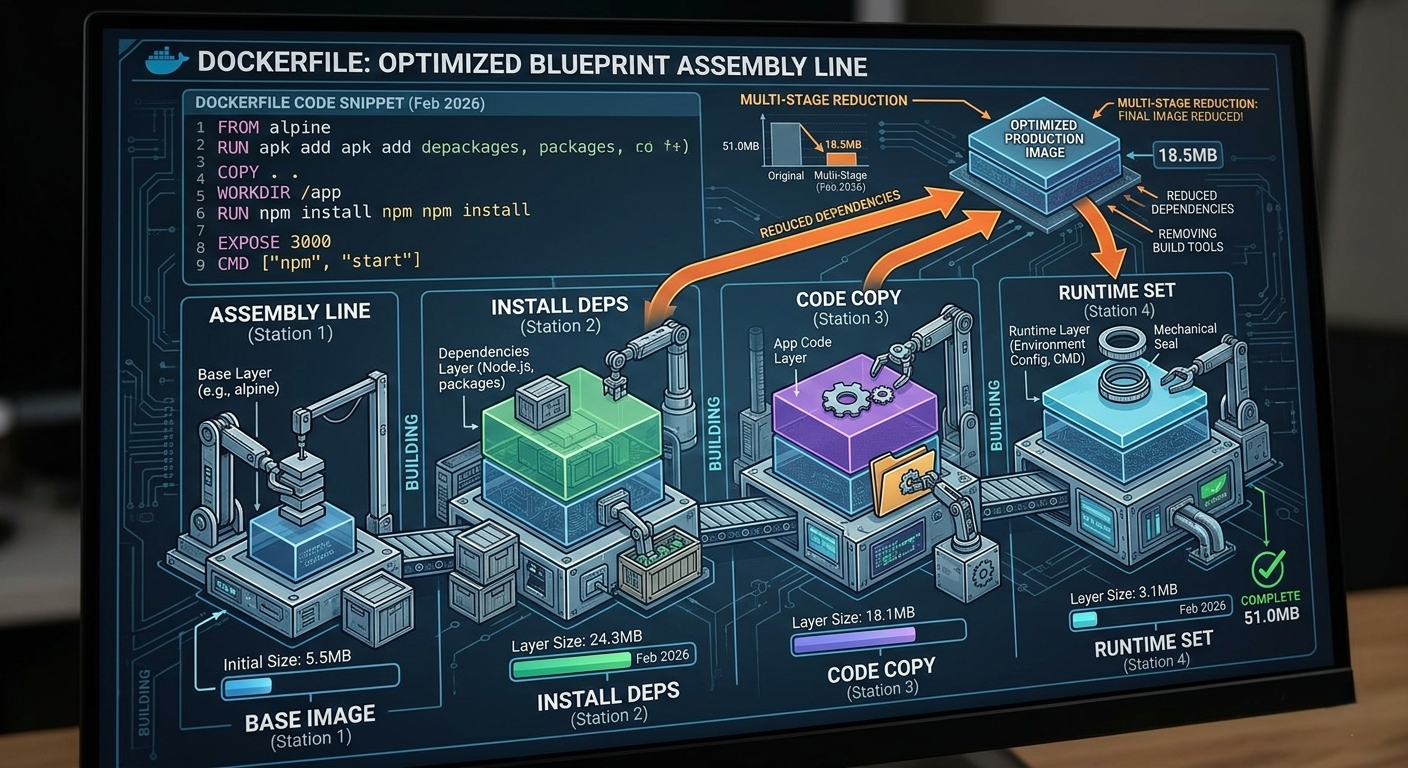
Image Layers: Caching and Reusability for Faster Builds
Each Dockerfile instruction creates a layer – cached by Docker for reuse. Change a dep? Only rebuild from there. This speeds iterations; I've shaved CI/CD pipelines from minutes to seconds.
In production, tag semantically (e.g., myapp:1.2.3, myapp:latest) and use multi-arch (docker buildx) for ARM/x86. For security, sign with cosign and scan layers. Drawback? Layer explosion from poor ordering – always add changing stuff last. In AI stacks, layer large models carefully to avoid rebuild hell.
Docker Images: Immutable Packages for Consistency
Images are self-contained snapshots – code, runtime, libs, env – ensuring "build once, run anywhere." Immutable means no surprises across dev/test/prod.
2026 pro tip: Use distroless bases (Google's) for minimal footprints, slashing CVEs. For ML, I've baked ONNX models into images for portable inference. Registries like Docker Hub or ECR host them; private for compliance. Key: Keep images small (<500MB) for fast pulls – compress with UPX or multi-stage.
Containers: Runtime Isolation with Shared Kernel
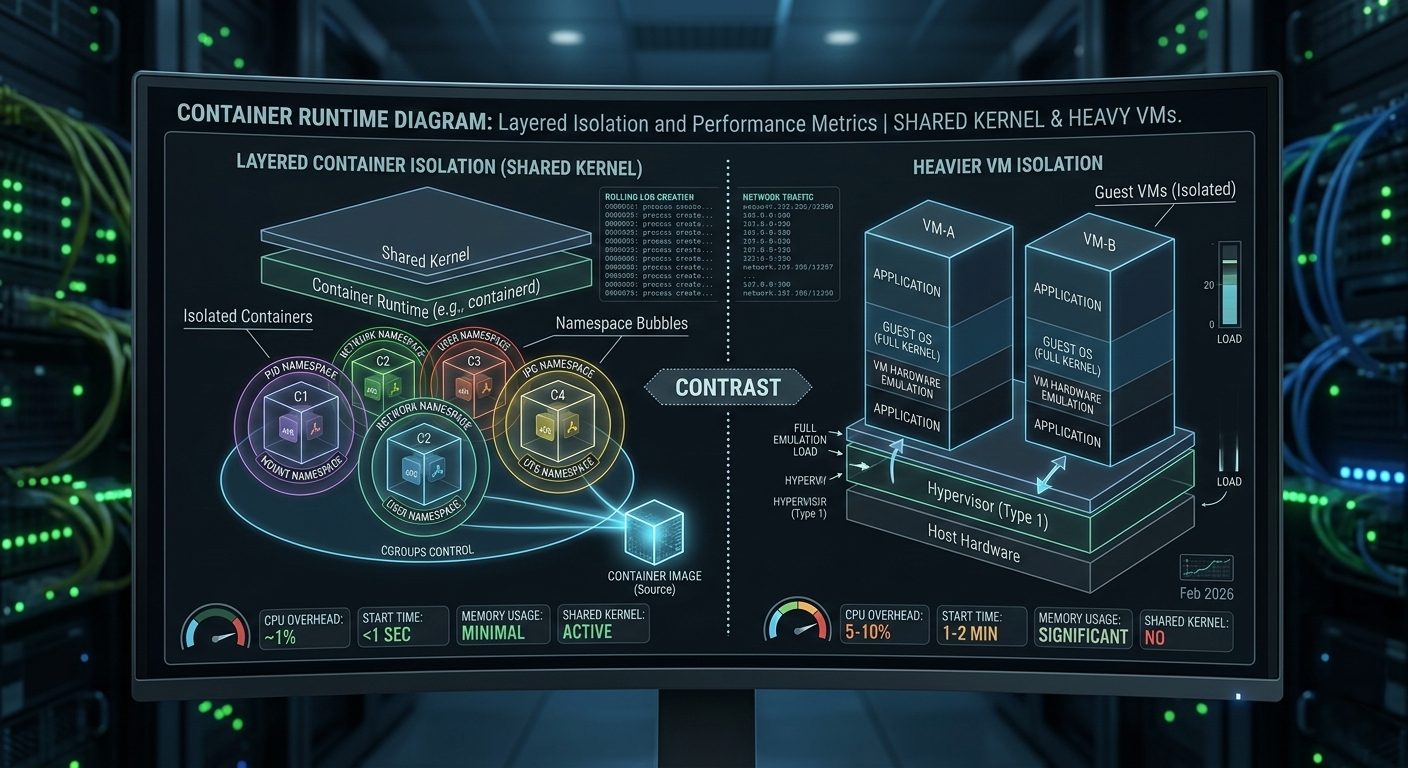
Containers are image instances – lightweight VMs sharing the host kernel for efficiency. Isolated namespaces (PID, network) prevent interference.
Vs VMs? Containers start in ms, VMs in seconds; but containers share kernel vulns – use seccomp/AppArmor for hardening. In my deploys, I've run stateful containers with volumes for DBs, but prefer K8s for orchestration. Tip: Use --memory/--cpus flags to throttle; monitor with cAdvisor for leaks.
Docker Registries: Central Hubs for Image Sharing
Registries are your image warehouses – push/pull for "run anywhere." Public like Hub, private like Harbor for security.
In 2026, with supply chain attacks rising, I've mandated signed images (Notation) and SBOMs (Syft). For CI, cache layers in registry to speed builds. Tip: Use multi-platform manifests for universal pulls – crucial for hybrid ARM/x86 clusters.
Docker Volumes: Persistent Storage Beyond Container Life
Containers are ephemeral; volumes persist data. Mount host dirs or use managed (docker volume create) for DBs/logs.
Advanced: Named volumes for portability, driver plugins (CSI) for cloud storage. In AI training, I've volume-mounted datasets to avoid image bloat. Security note: Avoid root mounts; use read-only where possible to thwart escapes.
Docker Compose: Multi-Container Orchestration Made Simple
Compose defines app stacks in YAML – services, networks, volumes. Great for dev; up/down in one command.
In 2026, with Compose v2, I've composed local K8s-like setups for testing. Tip: Use profiles for env-specific services; secrets for creds. For prod, migrate to Swarm or K8s – Compose is your stepping stone.
Container Orchestrators: Scaling with Kubernetes and Beyond
For prod scale, orchestrators like Kubernetes handle failover, balancing, rolling updates. K8s Pods wrap containers; Deployments manage replicas.
My tip: Start with minikube for local; EKS/AKS for cloud. In 2026, with eBPF sidecars, observability's baked-in. Drawback? Steep curve – but for fault-tolerance, it's unbeatable.
Docker CLI and Daemon: The Command Center
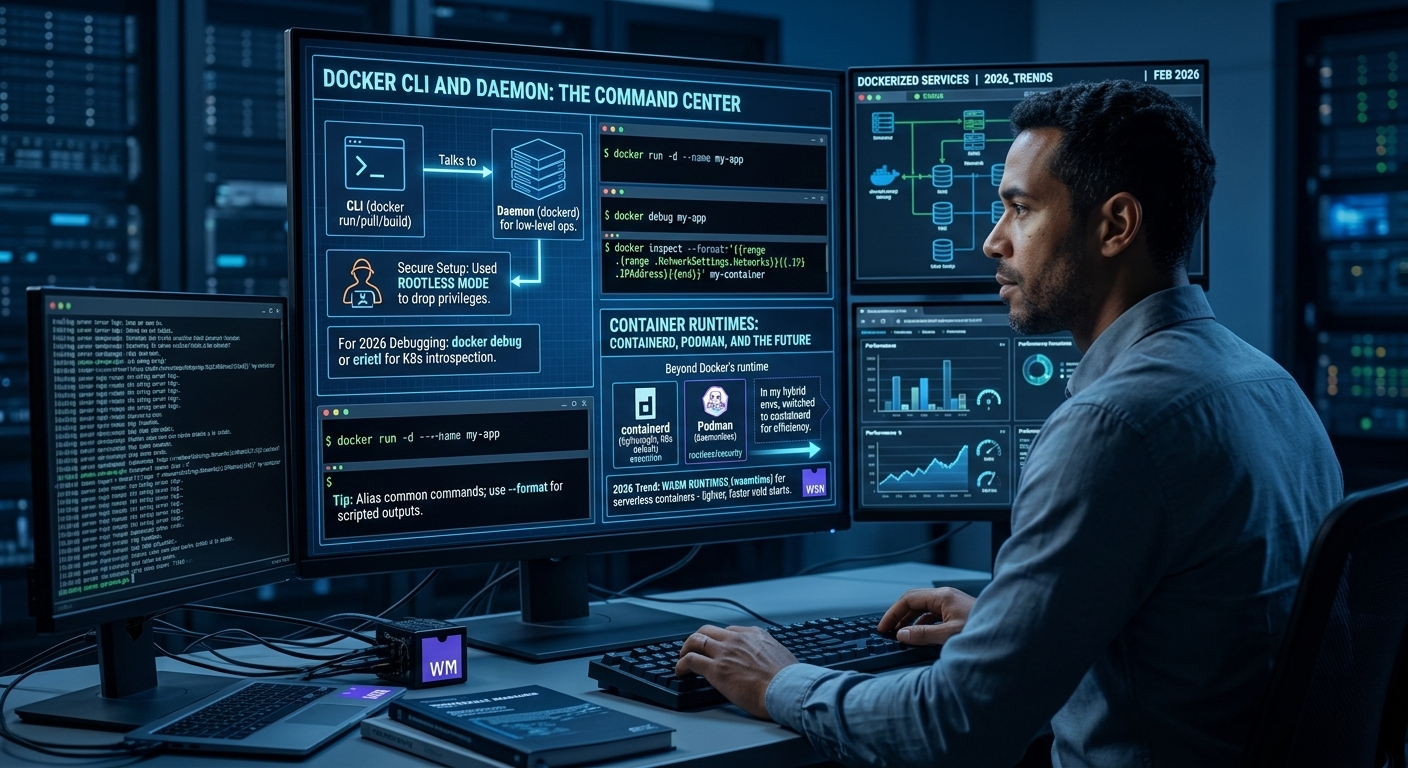
CLI (docker run/pull/build) talks to Daemon (dockerd) for low-level ops. In secure setups, I've used rootless mode to drop privileges.
For 2026 debugging, docker debug or crictl for K8s introspection. Tip: Alias common commands; use --format for scripted outputs.
Container Runtimes: Containerd, Podman, and the Future
Beyond Docker's runtime, containerd (lightweight, K8s default) focuses on execution. Podman (daemonless) suits rootless/security.
In my hybrid envs, I've switched to containerd for efficiency. 2026 trend: Wasm runtimes (wasmtime) for serverless containers – lighter, faster cold starts.
Conclusion
Docker's ecosystem – from files to orchestrators – empowers consistent, scalable apps. In 2026, with AI containers and edge deploys, it's more vital than ever. From my migrations, start small, secure early, scale smart – and watch your systems thrive.